- How much time devices are used on those processes
- Whether devices are used for their intended purpose
- Which tools are really used in each department
General considerations
- Process configuration is optional.
- It is configured per Workspace group.
- A device can belong to several Workspace groups and, therefore, to several Process groups.
- It lets you segment the analysis by area or department.
- Changes take effect at 12:00 (UTC).
- Processes can be added manually or from the executables reported by devices.
Table information
The main table shows the Process groups configured in the organization.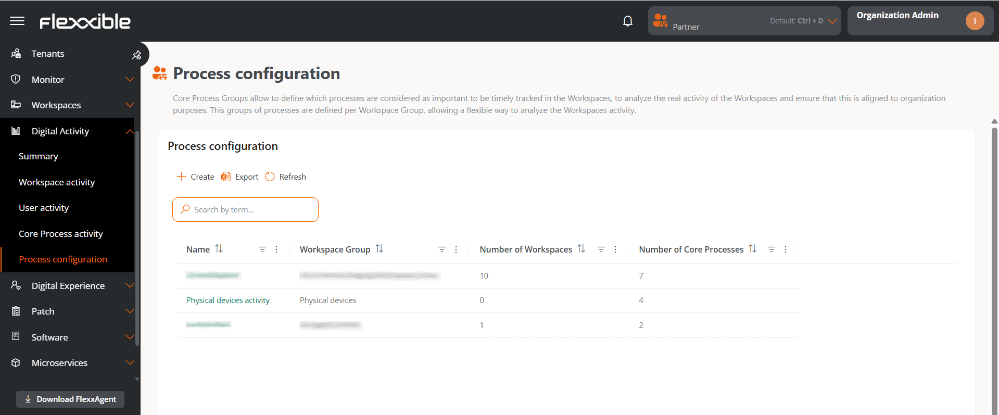
- Name. Name of the Process group.
- Workspace group. Workspace group associated with the Process group.
- Number of workspaces. Number of devices included in the Workspace group.
- Number of processes. Number of processes defined within the Process group.
Create a Process group
To create a new Process group:- Go to Digital Activity → Process configuration.
- Click Create.
-
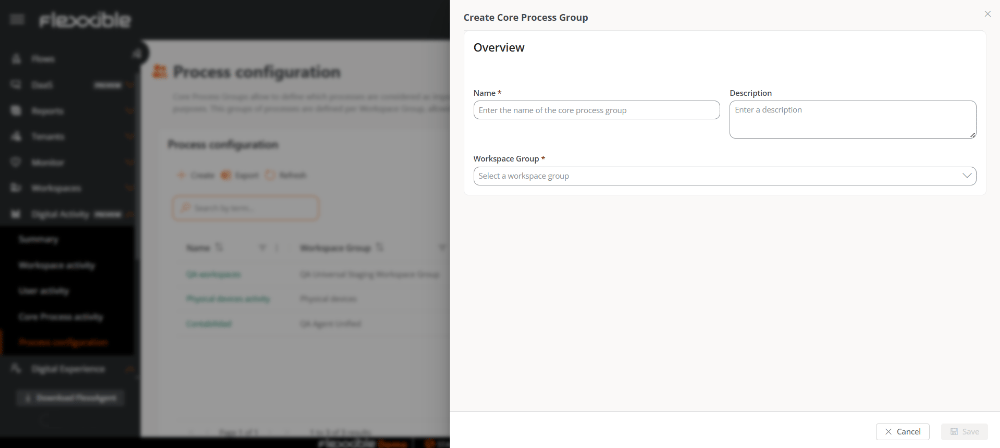
Fill in the following fields:
- Name. Name of the Process group.
- Description. Descriptive text for the group.
- Workspace group. Workspace group it will be associated with.
-
Click
Save.
Reload to refresh the view.
Add processes
Once you have created the Process group, you need to add the processes you want to monitor.- In the table, click the name of the Process group you just created. It is clickable and lets you access its configuration.
- Go to the Processes section.
-
Select one of the following options (or both):
- Add process
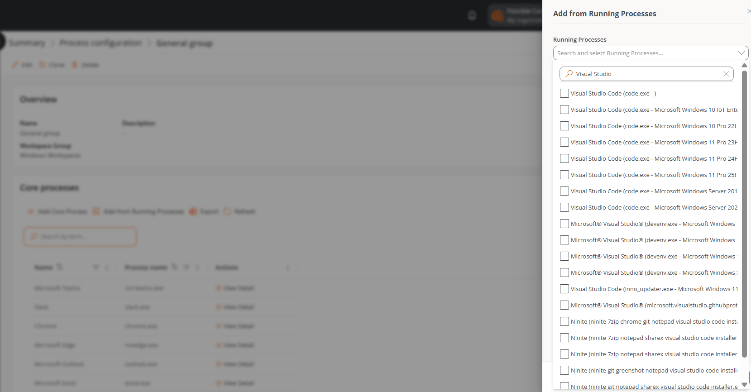
- Add from running processes
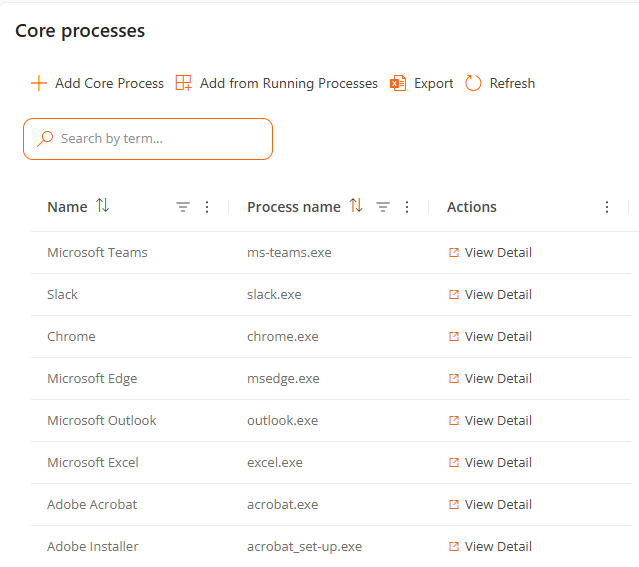
- Add process lets you add a process manually:
- By defining an identifying name.
- By specifying the executable (
.exe).
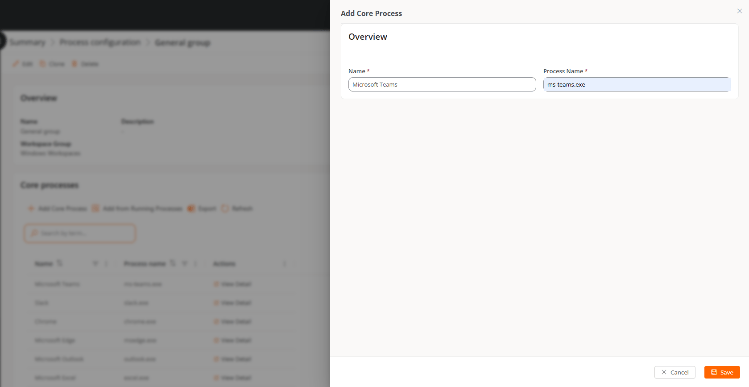
- Add from running processes lets you select processes that have already been detected on devices.
- Shows processes previously reported by devices.
- Makes it easier to configure based on existing processes.
Process table
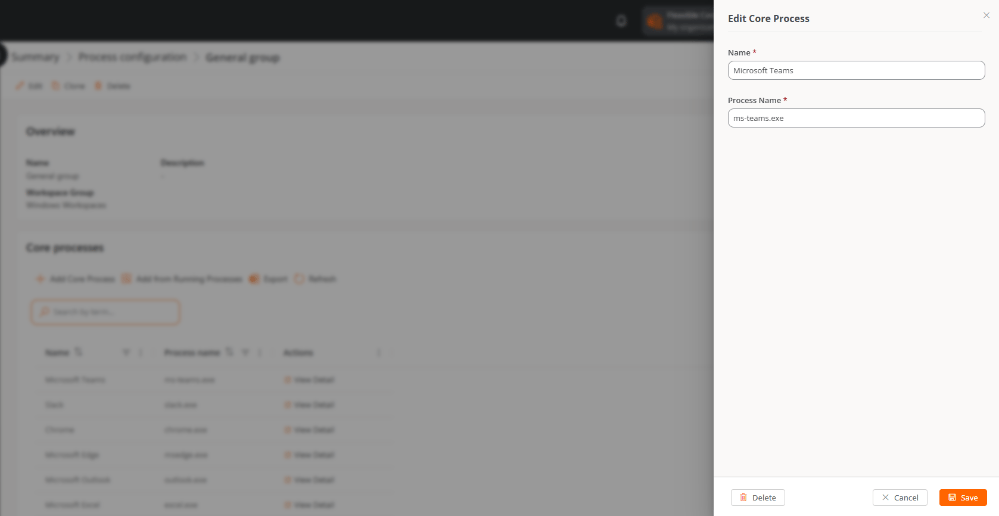
Once added, processes are shown in a table with the following fields:- Name. Name the user assigned to the process.
-
Process name. Name of the executable (
.exe) -
Actions. Link to View details. Lets you edit the name and the executable.
Available actions on Process groups
You can perform the following actions on each Process group:
Edit
Lets you modify the Name, Description, and Workspace group assigned during the Create a Process group process.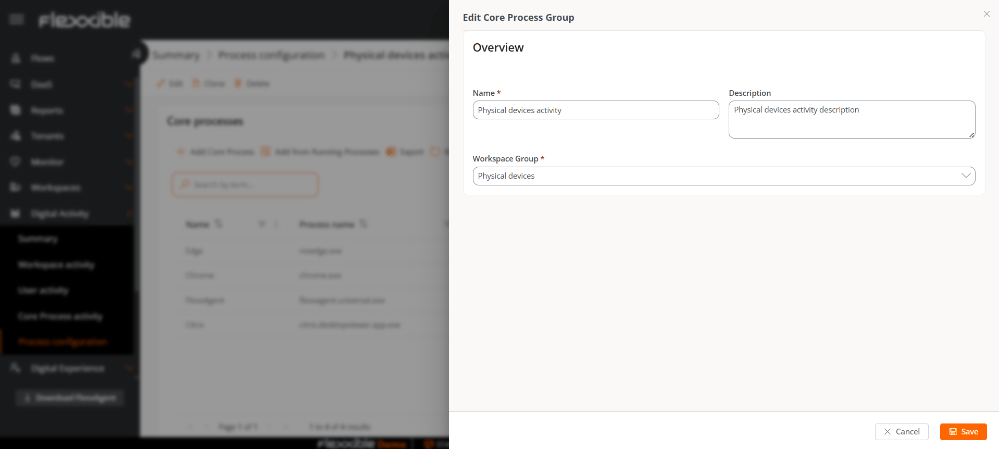
Clone
Lets you create a new Process group based on an existing one. It’s useful for reusing configurations; it can be assigned to another Workspace group.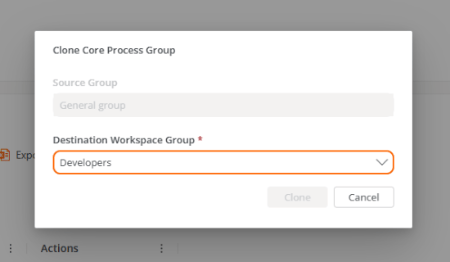
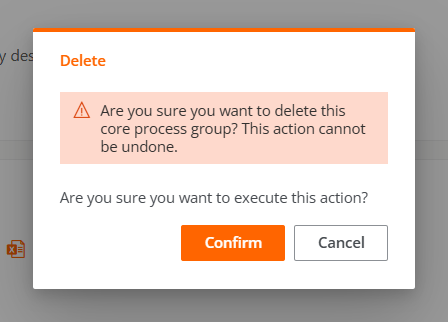
Delete
Lets you delete the Process group.