How process activity is calculated
To calculate it, all the time a user has had focus on a process is considered; that is, when the application window (process) is active in the foreground and the user is interacting with it. Having a process in focus means:- The user is actively using that application.
- The window is selected and visible in the foreground.
- There is direct interaction (keyboard, mouse, etc.).
Data is updated daily at 12:00 (UTC); for this reason, data for the current month may show a slight deviation.
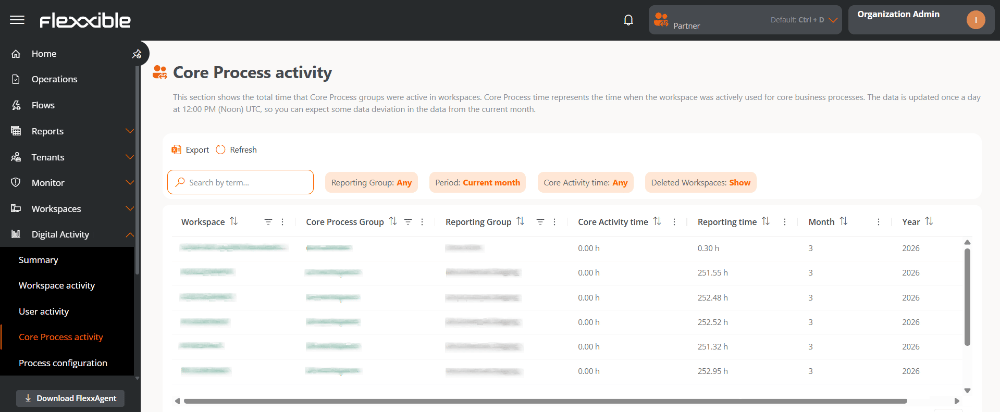
Table information
Main fields
- Workspace. Device name.
- It is clickable and lets you access its detail view.
- If it is not clickable, the device has been deleted.
- Process group. Name of the Process group.
- It is clickable and lets you access the group’s configuration.
- Report group. Name of the Report group to which the device belongs.
- Activity time. Time during which the user has had focus on any of the processes defined in the configuration.
- Report time. Time during which the device has been powered on.
- Month. Number of the month the information belongs to (for example, March = 3).
- Year. Year corresponding to the data shown.
Other available fields
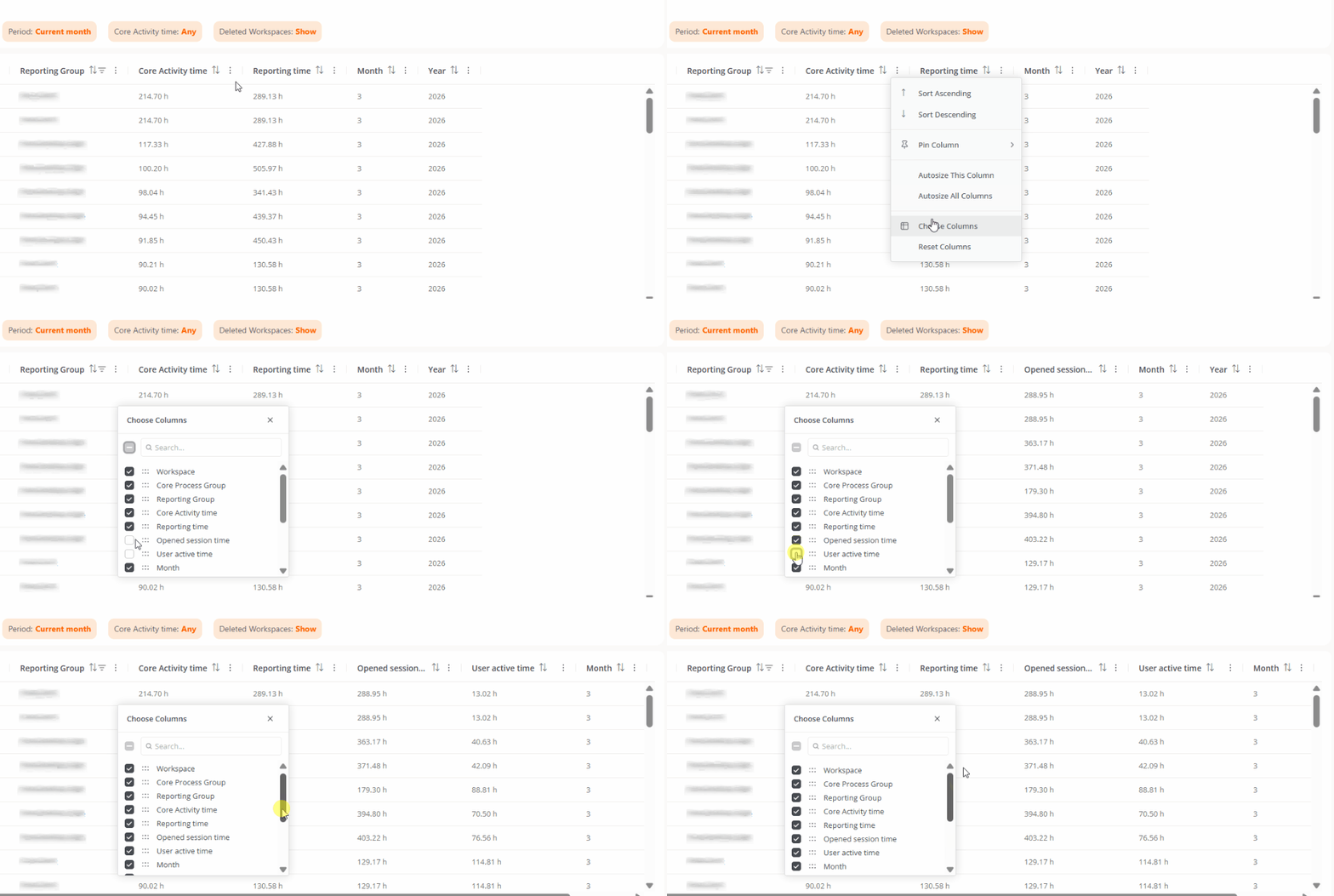
By clicking Choose columns you can add additional fields:- Open session time. Time during which devices have had an open user session.
- User active time. Time during which the user has actively interacted with the device.
- Workspace object ID. Unique identifier of the device.
- Process group ID. Unique identifier of the Process group.
- Workspace group. Name of the Workspace group to which the device belongs.
- Last user. User who last used the device.
- Deletion date. Date on which the device was deleted, if applicable.
Available filters
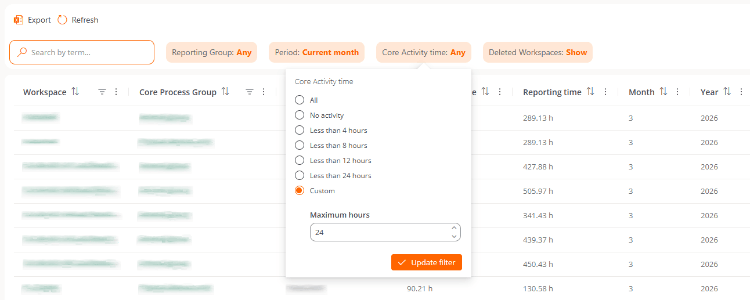
The table records can be filtered by the following criteria:- Report group. Lets you choose the Report group whose information you want to view.
- Period. Lets you define the time interval for the data shown.
- Activity time. Lets you filter results based on process usage time.
- Deleted workspaces. Lets you include or exclude deleted devices from the results.