> ## Documentation Index
> Fetch the complete documentation index at: https://docsnewgen.flexxible.com/llms.txt
> Use this file to discover all available pages before exploring further.
# Getting started
If you have just subscribed to Flexxible, follow these steps to set up the platform and start managing your organization's devices:
1. Sign in to the [Flexxible console](https://portal.flexxible.com/home) with the credentials provided by Flexxible or by your partner.
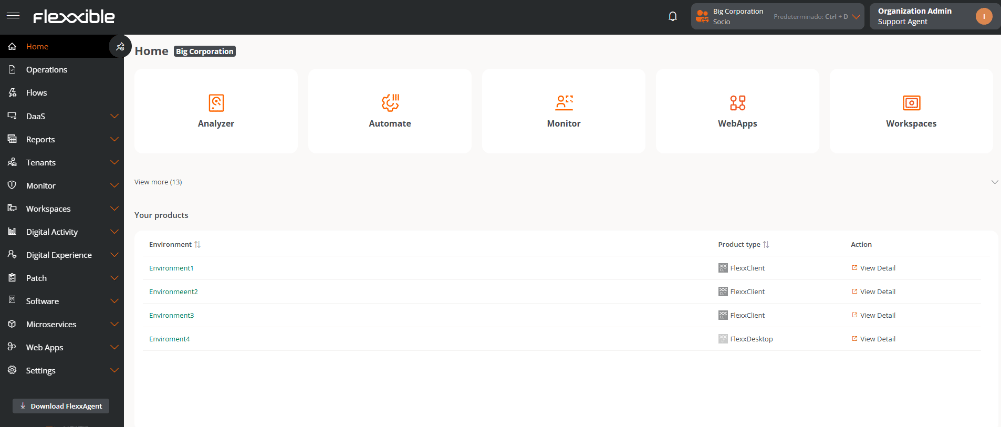 2. Select the [reporting group](./features/administration/reporting-groups) in which you want to register the devices. If needed, you can reorganize them later by creating additional reporting groups manually or automatically, using a fishing pattern.
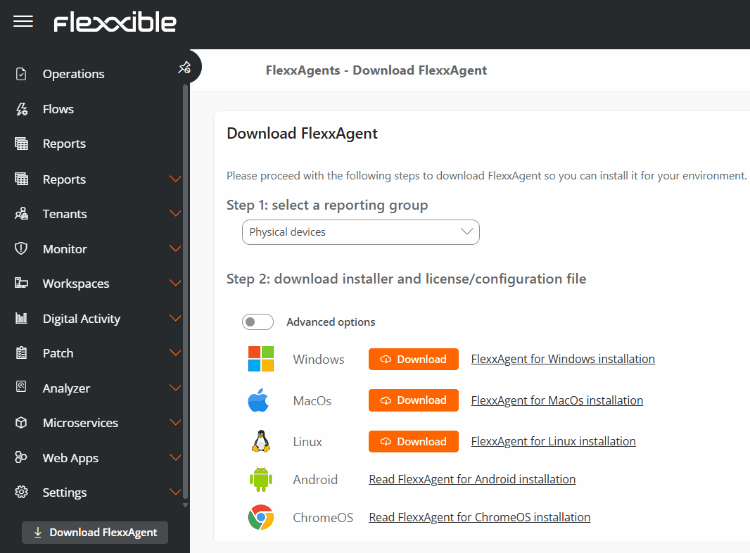
3. [Download FlexxAgent](./flexxagent/agent-download) for the corresponding operating system and deploy the agent on the devices you want to manage.
2. Select the [reporting group](./features/administration/reporting-groups) in which you want to register the devices. If needed, you can reorganize them later by creating additional reporting groups manually or automatically, using a fishing pattern.
3. [Download FlexxAgent](./flexxagent/agent-download) for the corresponding operating system and deploy the agent on the devices you want to manage.
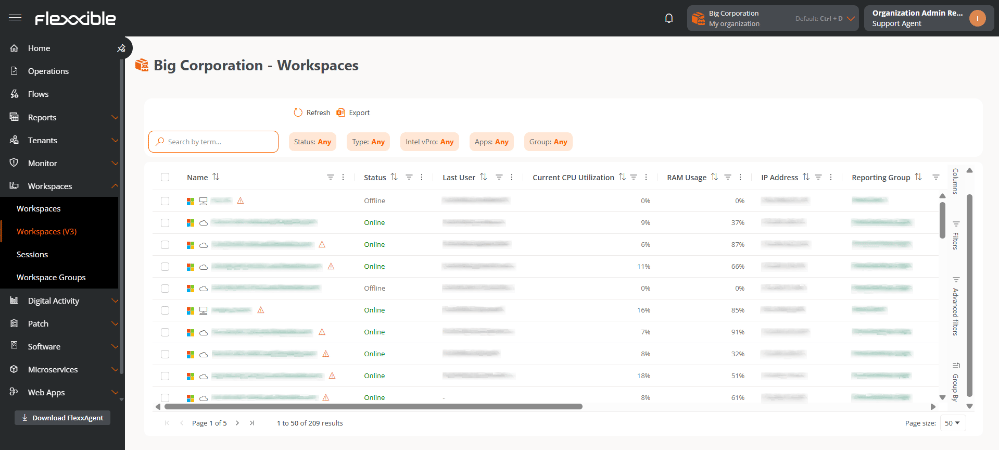
 4. Verify that the devices appear correctly in the platform and start reporting information from the [Workspaces](./features/workspaces/workspaces) section.
 5. Check whether the default roles are sufficient for your requirements and adapt permissions to your organization's structure.
6. Create the necessary user accounts and assign the corresponding roles.
7. Enable the features you want to use and finish configuring the platform.
5. Check whether the default roles are sufficient for your requirements and adapt permissions to your organization's structure.
6. Create the necessary user accounts and assign the corresponding roles.
7. Enable the features you want to use and finish configuring the platform.