> ## Documentation Index
> Fetch the complete documentation index at: https://docsnewgen.flexxible.com/llms.txt
> Use this file to discover all available pages before exploring further.
# Workspace activity
**Workspace activity** lets you analyze device usage by comparing the time they are powered on with the time during which they have active sessions, even if the user has not been actively interacting with the device.
This lets you detect:
* Devices powered on without being used
* Underutilized equipment
* Differences between device availability and its active use
Data is updated daily at 12:00 (UTC); for this reason, data for the current month may show a slight deviation.
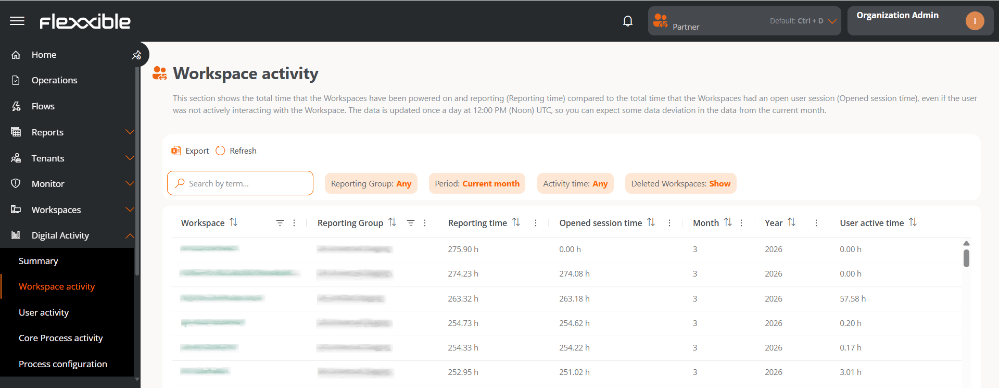 ## Table information
### Main fields
* **Workspace.** Device name.
* It is clickable and lets you access its detail view.
* If it is not clickable, the device has been deleted.
* **Report group.** Name of the Report group to which the device belongs.
* **Report time.** Time the device has been powered on during the selected period.
* **Open session time.** Time the device has had at least one open user session, regardless of whether there was activity.
* **Month.** Number of the month the information belongs to (for example, March = 3).
* **Year.** Year corresponding to the data shown.
### Other available fields
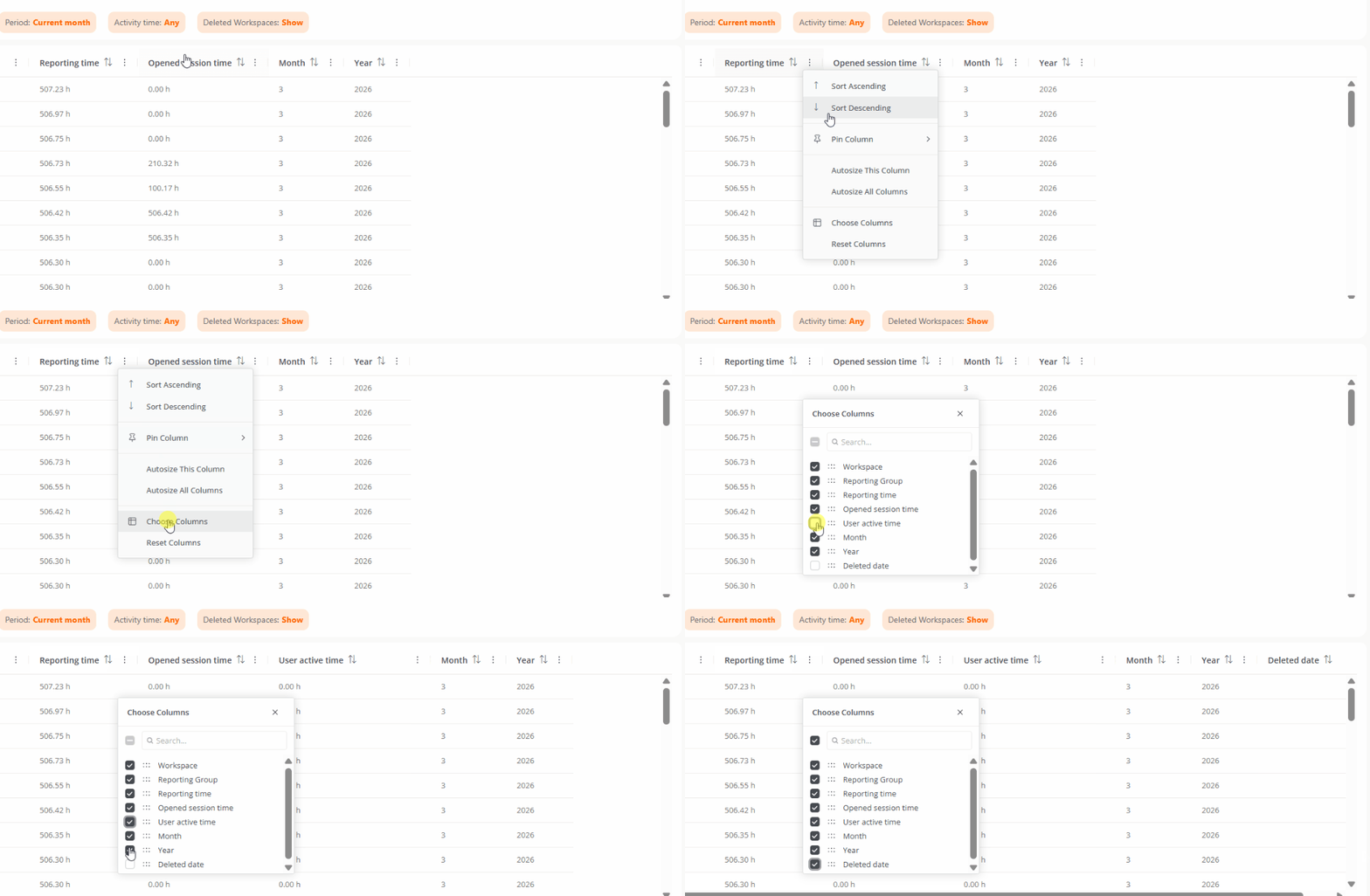
By clicking **Choose columns** you can add fields to the table:
* **User active time.** Time during which one or more users have actively interacted with the device.
* **Deletion date.** Date the device was deleted, if applicable.
## Table information
### Main fields
* **Workspace.** Device name.
* It is clickable and lets you access its detail view.
* If it is not clickable, the device has been deleted.
* **Report group.** Name of the Report group to which the device belongs.
* **Report time.** Time the device has been powered on during the selected period.
* **Open session time.** Time the device has had at least one open user session, regardless of whether there was activity.
* **Month.** Number of the month the information belongs to (for example, March = 3).
* **Year.** Year corresponding to the data shown.
### Other available fields
By clicking **Choose columns** you can add fields to the table:
* **User active time.** Time during which one or more users have actively interacted with the device.
* **Deletion date.** Date the device was deleted, if applicable.
 ## Available filters
The table records can be filtered by the following criteria:
## Available filters
The table records can be filtered by the following criteria:
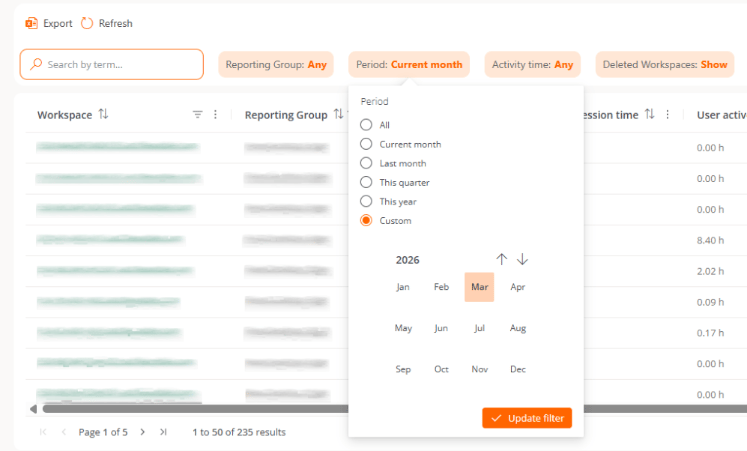 * **Report group.** Lets you choose the Report group whose information you want to view.
* **Period.** Lets you define the time interval for the data shown.
* **Activity time.** Lets you filter results based on the number of device usage hours.
* **Deleted workspaces.** Lets you include or exclude deleted devices from the results.
We recommend using data corresponding to complete months to correctly interpret the metrics and avoid incorrect conclusions.
* **Report group.** Lets you choose the Report group whose information you want to view.
* **Period.** Lets you define the time interval for the data shown.
* **Activity time.** Lets you filter results based on the number of device usage hours.
* **Deleted workspaces.** Lets you include or exclude deleted devices from the results.
We recommend using data corresponding to complete months to correctly interpret the metrics and avoid incorrect conclusions.